How to Find CCTV Camera IP Address | Quick Tips from Shaktivault Technologies! Router admin, mobile apps, and Android/iPhone scanners help you unlock your camera’s IP address (192.168.1.64 by default). This is important for remote viewing, NVR setup, and troubleshooting. Gurgaon IP CCTV installation starts at ₹800. This includes a permanent IP address and documentation. Connect to your router, then use the Fing app, and gain access to tools from the brand. Control your network with ease. Stuck? Shaktivault’s trained technicians can resolve IP issues on the same day. Call +91-9999725655 for quick IP CCTV camera installation support in Gurgaon!
Why Knowing Your CCTV Camera IP Address Matters
Are you having trouble finding the CCTV camera’s IP address? Shaktivault Technologies in Gurgaon makes it simple. Call us today for an IP security camera installation in Gurgaon. Avoid network problems! The IP address of your camera (like 192.168.1.64) allows remote viewing, mobile applications, and NVR setup. If Hikvision SADP fails or the router list confuses you, this guide and Shaktivault’s expert support will help you get up and running quickly.
80% of users experience IP issues after installation. Get professional IP CCTV camera installation in Gurgaon starting at ₹800. This includes permanent IP assignment and app training.
What Is a CCTV Camera IP Address and Why It Is Important
CCTV cameras have a special IP address. This address looks like 192.168.x.x. It helps cameras connect to routers, phones, and NVRs.
Critical uses:
- Remote viewing: Watch the Gurgaon villa from the office in Delhi.
- NVR/DVR setup: Easily connect 16 cameras.
- Mobile apps: Hik-Connect and iVMS show live feeds.
- Troubleshooting: How to fix cameras that are not working.
- Third-party integration: Blue Iris and Milestone.
Without it, your ₹50K system turns into a ₹5K paperweight. Shaktivault sets up IPs during installation.
Types of CCTV Camera IP Addresses
Local IP (192.168.1.100): Home/office network only, Public IP (203.192.x.x): Internet access from outside
Local = Router view only. Public = Anywhere access (needs port forwarding). Shaktivault sets static local IPs + secure public DDNS.
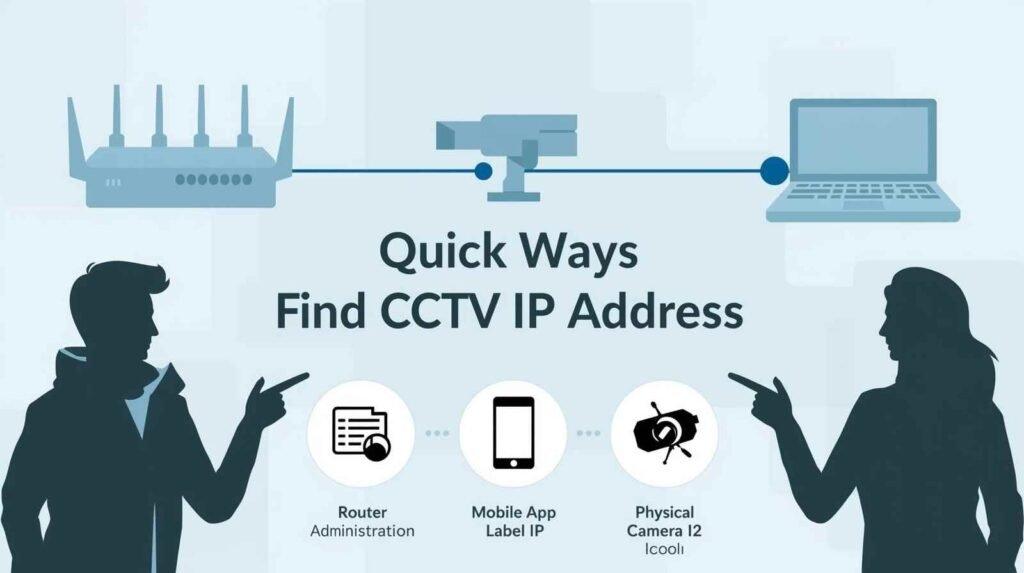
Easy Methods to Find Your CCTV Camera IP Address
5 proven ways pick your device:
- Router admin (easiest)
- Brand apps (Hikvision/CP Plus)
- Network scanners (Android/iOS)
- Command line (Windows/Mac)
- Camera sticker (last resort)
Shaktivault records all IPs when installing IP CCTV cameras in Gurgaon. They provide laminated cheat sheets.
How to Find CCTV Camera IP Address Using Router
Most reliable works 95% time:
- Router login: 192.168.1.1. Use the username “admin” and the password “admin.”
- Connected Devices → “List of DHCP Clients.”
- Find a camera: “Hikvision,” “CPPlus,” or one that starts with MAC 48:59…
- Copy IP: 192.168.1.108 ✔
Brands included: Dahua, Uniview, and EZVIZ. Shaktivault improves router quality of service during installation.
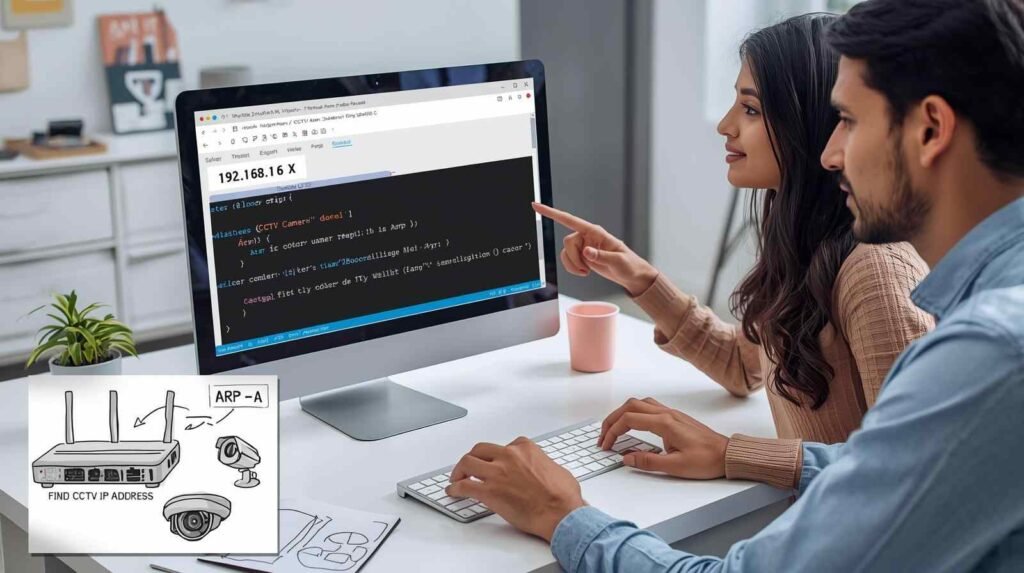
How to Find CCTV Camera IP Address in Mobile
App method (Hik-Connect, CP Plus Eye):
1. Open app → Device List
2. Tap camera → Settings → Network
3. "IP Address" shows: 192.168.1.75
Pro tip: Enable “Device Info” in app settings. Shaktivault pre-links apps during IP CCTV camera installation in Gurgaon.
How to Find CCTV Camera IP Address on Android
Fing Scanner (free, 4.8★):
- Download Fing from the Play Store.
- Use the same WiFi as the camera.
- Scan (10 seconds)
- Filter: “Security”, “Camera”, “Hikvision”
- Result:
- IP address: 192.168.1.112
Alternative: IP Tools can ping and sweep the whole subnet.
How to Find CCTV Camera IP Address on iPhone
iOS Fing (App Store):
1. Download the Fing app
2. Connect the iPhone to the camera's WiFi
3. Tap SCAN (30 secs)
4. Search "Camera" or MAC: 5C: xx...
5. IP: 192.168.0.89
How to Find Camera IP Address in Hikvision
SADP Tool (official and very accurate):
- Download SADP from hikvision.com.
- Run as Admin. It will find all Hik cameras automatically.
- IP address: 192.168.1.64 (default)
- Set your password.
- Recommended static IP: 192.168.1.110
Hik-Connect: Scanning the QR code reveals the IP address. Shaktivault manages complex settings for many cameras at once.
CCTV Camera IP Address List – What You Should Know
Common defaults:
Hikvision: 192.168.1.64/255.255.255.0
CP Plus: 192.168.1.108/255.255.255.0
Dahua: 192.168.1.108/255.255.255.0
Uniview: 192.168.1.60/255.255.255.0
CRITICAL: Change defaults immediately! Shaktivault sets unique static IPs during install.
Using IP Address Camera Viewer Online
Browser access:
2. Username: admin | Password: (your set password)
3. Live view loads
Plugins needed: None for modern HTML5 cameras. Works best on Chrome/Edge.
Live CCTV Camera IP Address – Reality Check
⚠️ DANGER: Google “live CCTV IP cameras” = unsecured hacker bait. 90% have default admin/admin logins.
Legal risks: Accessing without permission = cybercrime (IT Act 2000). Shaktivault secures your feeds properly.
Live CCTV Camera IP Address Free – Is It Safe?
Absolutely NOT:
- Unencrypted streams
- Default credentials
- Privacy violations
- Malware injection
Use your cameras only with official apps. Shaktivault provides secure DDNS and HTTPS.
Common Problems and Tips If You Can’t Find the IP Address
Issue #1: Camera Offline
✓ Check PoE/power

✓ Ethernet connected

✓ LED blinking green
Issue #2: IP Conflict
1. Restart router + camera

2. Reserve IP in router DHCP

3. Set the camera's static IP
Issue #3: App Not Detecting
✓ Same subnet (192.168.1.x)

✓ Firewall disabled

✓ Port 8000/80 open
Shaktivault fix: Remote diagnostics + 30-min onsite ₹500.
Best Practices for Managing CCTV Camera IP Address
Security checklist:
☑ Static IP assignment (not DHCP)
☑ Change default 192.168.1.64 → 192.168.1.110
☑ Strong admin password (12+ chars)
☑ WPA3 WiFi encryption
☑ Firmware updated quarterly
☑ Port forward 80/554 securely
☑ VLAN isolation from guest WiFi
Shaktivault implements all during IP CCTV camera installation in Gurgaon.
When to Contact a CCTV Technician
Call Shaktivault when:
- SADP finds no cameras
- Multiple IP conflicts
- NVR won’t detect cameras
- Remote access fails
- VLAN/enterprise setup needed
₹800 diagnostic + fix. Gurgaon same-day, NCR next-day. Avoid 3-hour DIY frustration.
Advanced: Command Line IP Discovery
Windows
arp -a
Find: MAC starts 48:59 (Hikvision)
Mac/Linux:
nmap -sn 192.168.1.0/24
Pro: Finds static IP camera router misses.
Router-Specific Guides
| Router Brand | IP/Login | Device List Path |
|---|---|---|
| TP-Link | 192.168.0.1 | Advanced → Network → DHCP |
| D-Link | 192.168.0.1 | Status → Device Info |
| Airtel/Xfinity | 192.168.1.1 | Connected Devices |
| JioFiber | 192.168.29.1 | My Devices |
Brand Default IP Quick Reference
Brand: Default IP → Recommended Static
Hikvision: 192.168.1.64 → 192.168.1.101-150
CP Plus: 192.168.1.108 → 192.168.1.151-200
Dahua: 192.168.1.108 → 192.168.1.201-250
Mobile Apps for IP Scanning
| App | Platform | Features |
|---|---|---|
| Fing | iOS/Android | Brand detection, alerts |
| IP Tools | Android | Ping, port scan |
| Network Analyzer | iOS | Subnet calculator |
| Advanced IP Scanner | PC | Export CSV |
Troubleshooting Flowchart
Camera powered? → No → Check PoE/12V
     ↓ Yes
LED blinking? → No → Network cable
     ↓ Yes
Router shows device? → No → Static IP mode
     ↓ Yes
App connects? → No → Port forwarding
     ↓ Yes → SUCCESS!
Shaktivault’s IP Management Service
₹2,999/year:
- Quarterly IP audits
- Static reservation setup
- DDNS configuration
- Remote access optimization
- Security hardening
Prevents 95% connectivity issues.
Conclusion: Find Your CCTV Camera IP Address the Smart Way
Knowing how to find a CCTV Camera IP Address lets you use the IP surveillance system more effectively. It lets you view the camera remotely, use multi-camera NVRs, and receive mobile alerts. These techniques work with a variety of brands, from router lists to SADP tools.
Are you trapped? Shaktivault Technologies offers IP CCTV camera installation in Gurgaon at a cost of only Rs 800. This price includes an ongoing IP installation, documentation, and 24-hour assistance.
WhatsApp Photos → Instant Quote → Same-Day Fix
📱 +91-9999725655
📍 Gurgaon | Manesar | Delhi NCR
FAQs – How to Find CCTV Camera IP Address
How to find CCTV camera IP address quickly?
Check the router’s “Connected Devices” list (192.168.1.1) or use the Hikvision SADP tool—shows 192.168.1.64 instantly.
What’s the default IP for Hikvision cameras?
192.168.1.64/255.255.255.0 change immediately during Shaktivault IP CCTV camera installation in Gurgaon
Why can’t I find my camera IP address?
Camera offline, IP conflict, or wrong subnet. Shaktivault fixes ₹500—30 mins Gurgaon service.
Can I view CCTV camera using IP address?
Yes, browser: http://192.168.1.108 (admin/your-password). Works on Chrome/Edge, no app needed.
Should I use mobile apps to find camera IP?
Yes, Fing (Android/iOS) or Hik-Connect shows IP automatically. Perfect for WiFi cameras.