
A 2U rack for CCTV is now the industry standard for professional surveillance system installations. Whether you are setting up a small office surveillance system, it helps to know how to choose and install the right 2U rack.
Whether you are setting up a large commercial security network, it also helps to know how to choose and install the right 2U rack. This supports strong equipment performance and long service life. At Shaktivault Technologies (Call: +91 – 981 094 0561), we offer great prices on premium 2U Rack for CCTV. We also give expert guidance to help your installation succeed.
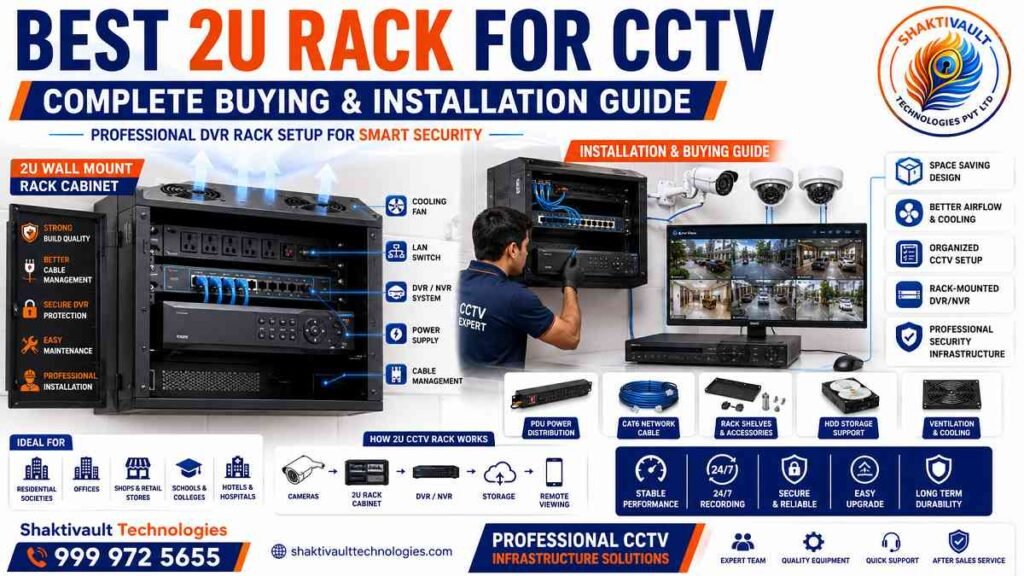
What is a 2U Rack for CCTV?
Understanding Rack Unit Size
A rack unit (U) equals 1.75 inches, or about 44.5 mm, of vertical space in a rack. A 2U rack provides 3.5 inches of mounting height. 2U racks suit CCTV DVR/NVR systems and use high-quality iron. They are designed to keep your critical surveillance equipment secure.
Uses of 2U Racks in CCTV Systems
In the past year, a lot of installers and tiny security firms have made the move from DVR placement in loose areas to rack mounting of 19 inches. It’s not just for fashion. It’s about improved airflow, cleaner cables, and better long-term support. 2U racks are compact for smaller spaces but big enough to hold your NVR, DVR switches, and power units.
Benefits of Using a 2U Rack Cabinet
Organized Cable and Equipment Management
2U racks have top and bottom cable entry points for flexible cable management. They include routing slots and pre-cut openings for neat installations. This professional organization reduces signal interference and helps speed up troubleshooting during maintenance.
Better Protection for DVR & NVR Systems
2U racks are made with rust-proof, powder-coated iron that provides long-lasting protection. These cabinets have lockable front doors to keep equipment secure.
They also include removable side panels for easy access.
Ventilation slots support proper airflow.
This helps protect your surveillance equipment from dust, theft, and tampering.
Types of 2U CCTV Racks
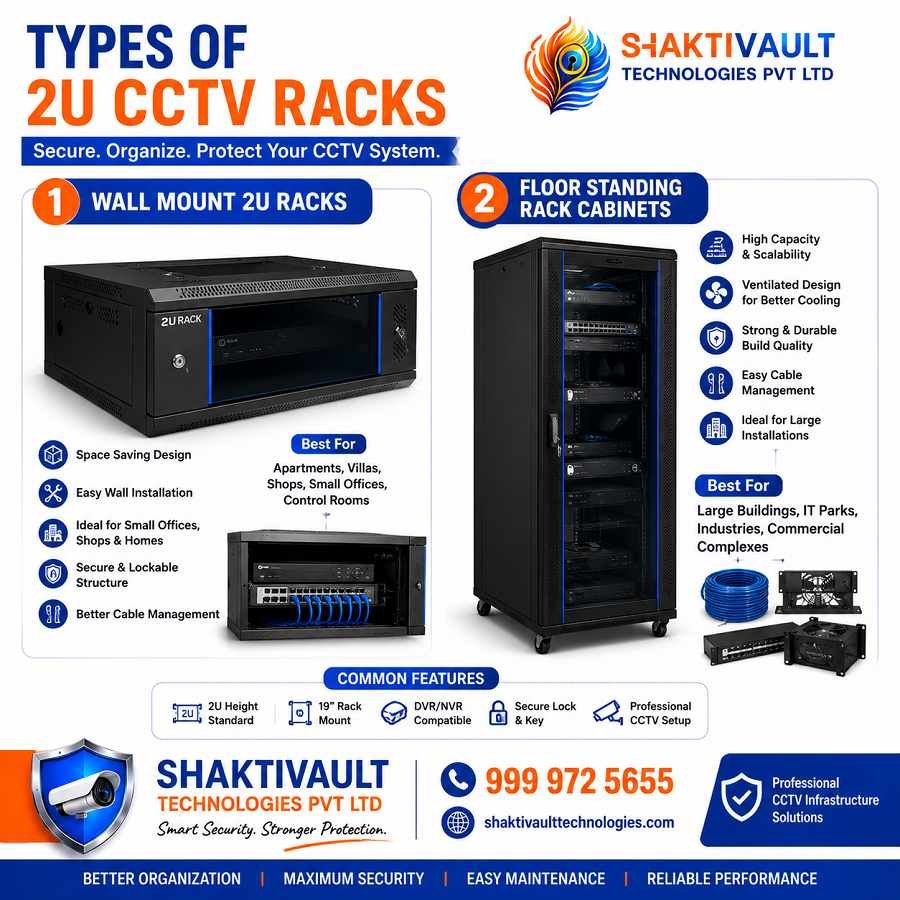
Wall Mount 2U Racks
2U racks can be wall-mounted. They offer key-locked access and venting slots to keep equipment cool. They are ideal for organizing DVR and NVR equipment in tight spaces. These are perfect for offices, retail locations, and homes where floor space is limited.
Floor Standing Rack Cabinets
Wall-mounted or self-standing 2U racks are versatile. They let installers choose the best mounting option for their space and access needs.
How to Choose the Right 2U Rack
Rack Material and Build Quality
Quality 2U racks are made from steel sheet. The sheet is punched, formed, and welded. It is then powder-coated. Quality controls help ensure durability and rust resistance. Robust, premium-grade steel construction keeps your DVRs, NVRs, and networking devices secure, even in harsh environments.
Ventilation, Cooling & Security Features
2U racks are built with perforated doors and side panels that improve airflow. This helps prevent overheating and extends your equipment’s lifespan. Many 2U racks let you mount cooling fans on the top panel for better heat dissipation.
Installation Guide for 2U CCTV Racks
Proper Rack Placement Tips
Choose an easy-to-reach location outside the attic for your DVR/NVR.
Avoid extreme temperatures that can overheat it and damage the hard drive.
This helps protect system performance and extends its lifespan.
Cable Management and Power Setup
Leave 2 to 3 feet of service loop at both cable ends.
Label each cable clearly.
Make sure there are 2 inches of air on the top and sides.
This helps with cooling.
Confirm the cabinet is at least 450 mm deep.
This supports good airflow and fits most modern DVRs.
Common Equipment Installed in 2U CCTV Racks
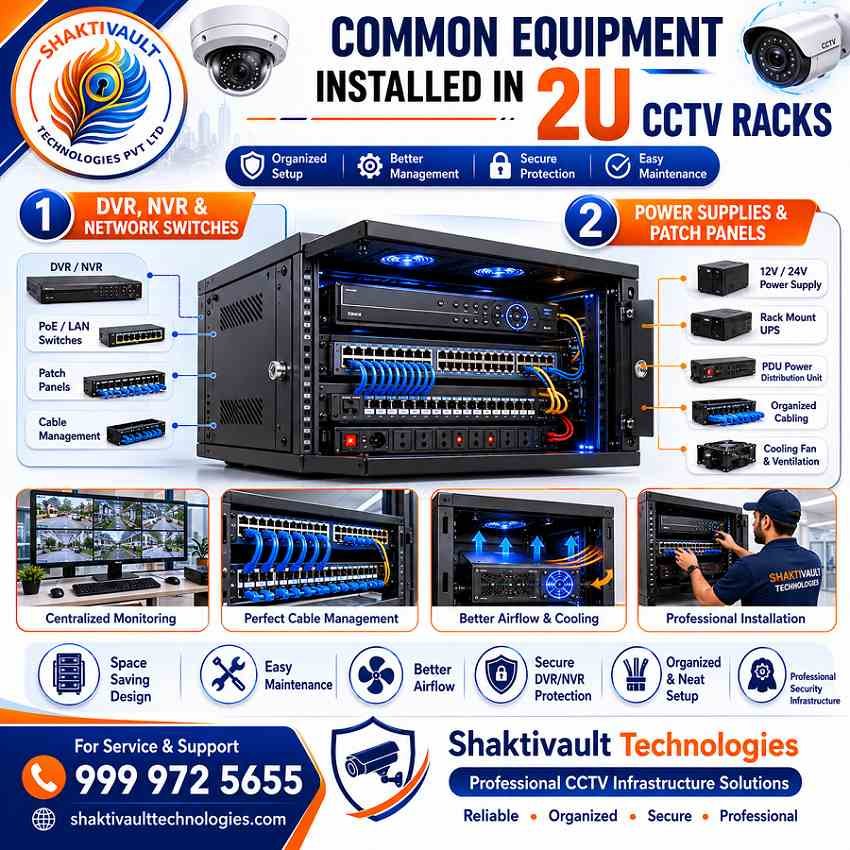
DVR, NVR & Network Switches
2U racks hold DVR and NVR systems and PoE switches. They include built-in power sockets and cable management space. This supports an organized deployment.
Power Supplies and Patch Panels
2U racks usually include three power sockets with cables and patch panel guides for better organization. This supports easy power distribution and network cable management.
Maintenance Tips for CCTV Rack Cabinets
Regular Cleaning and Cooling Checks
Using HEPA-filtered vacuums and compressed air removes dust from racks, fans, and vents. This helps prevent overheating and hardware failure.
Ensuring Proper Cable Organization
Regularly zip-tie cables together. Keep proper spacing between components to prevent blocked airflow and dust buildup in fans.
Conclusion
Why a 2U Rack is Essential for Professional CCTV Setup
The investment in a high-quality 2U rack transforms your surveillance system from a jumble into a high-quality system. It is secure and simple to maintain. To get the best choice and low prices on a 2U rack for CCTV, call Shaktivault Technologies now.
Call +91 – 981 094 0561. Our team of experts offers excellent rates and support for installation. We can help you make your CCTV system run without issue for a long time.
FAQs – Best 2U Rack for CCTV
What size equipment fits in a 2U rack for CCTV?
A 2U rack provides 3.5 inches (44.5 mm × 2) of vertical mounting space. It fits standard 19-inch wide DVRs, NVRs, PoE switches, and small power distribution units. These devices are designed for a 2U height.
Can a 2U rack be wall-mounted?
Yes. Many 2U cabinets are made for wall mounting. They use secure brackets, lockable doors, and ventilation. This makes them ideal for small offices or retail locations.
How much clearance do I need around a 2U rack?
Leave about 2 inches on each side.
Leave 2–3 feet in front for service access and airflow.
Make sure the top panel has clearance.
Do this if you plan to mount fans or need extra ventilation.
Do 2U racks include power and cable management features?
Most 2U racks include built-in power sockets or support for PDU installation.
They also have top or bottom cable entry and cable routing slots or tie points.
These features help keep cables neat and organized.
How do I prevent overheating in a 2U rack?
Use perforated or vented doors. Install case or rack fans if needed. Maintain proper clearance. Keep vents clean with periodic dusting or HEPA vacuuming. Use compressed air as needed.