Wireless CCTV cameras make it easy to monitor properties from a distance in Faridabad, Gurgaon, Noida, and Manesar. Shaktivault Technologies delivers top-notch how to connect wireless CCTV camera to mobile phone solutions with brands like CP Plus and Hikvision, starting at competitive rates of ₹1300 per camera plus ₹600-900 for installation per unit. This guide includes steps, requirements, and tips for security needs in Delhi NCR.
Why Connecting CCTV Camera to Mobile Phone Is Important
Mobile connectivity lets you see live views and get motion alerts on your Android or iOS device right away. This is important for quick responses to events in busy places like Gurgaon offices or Faridabad homes. It lowers the need for on-site checks, making businesses in Noida safer.
Benefits of Wireless CCTV Cameras for Remote Monitoring
There are no cables, which means quicker installations and greater placement flexibility. Enjoy 4MP/2K streaming, night vision, and two-way communication via applications. This is ideal for Shaktivault Technologies’ wireless setups, which range from Rs 3,000 to Rs 5,000 per camera. Cloud storage lets you access all footage from around the world, ensuring reliable Delhi NCR surveillance.
How to Connect Wireless CCTV Camera to Mobile Phone – Step-by-Step Guide

Step 1 – Choose the Right Wireless CCTV Camera System
Choose CP Plus or TP-Link Tapo models priced between ₹1300 and ₹5000. Look for Wi-Fi, 2K resolution, and app support for installations in Faridabad. Prioritize IP66 weatherproofing and 512GB SD compatibility.
Step 2 – Install Your Wireless CCTV Camera Correctly
Position at 8-10ft for entry coverage, within Wi-Fi range. Shaktivault Technologies experts in Manesar install cameras for ₹600-900 each. They make sure the angles are just right.
Step 3 – Set Up a Stable Wi-Fi Network
You need an upload speed of 2-5 Mbps. Use the 2.4GHz band. Boost the signal with extenders for Noida sites. Test the connection using apps.
Step 4 – Download the CCTV Camera Mobile App
Download the CP-E21A app for CP Plus or Tapo for TP-Link from the Play Store or App Store. Allow camera and network permissions.
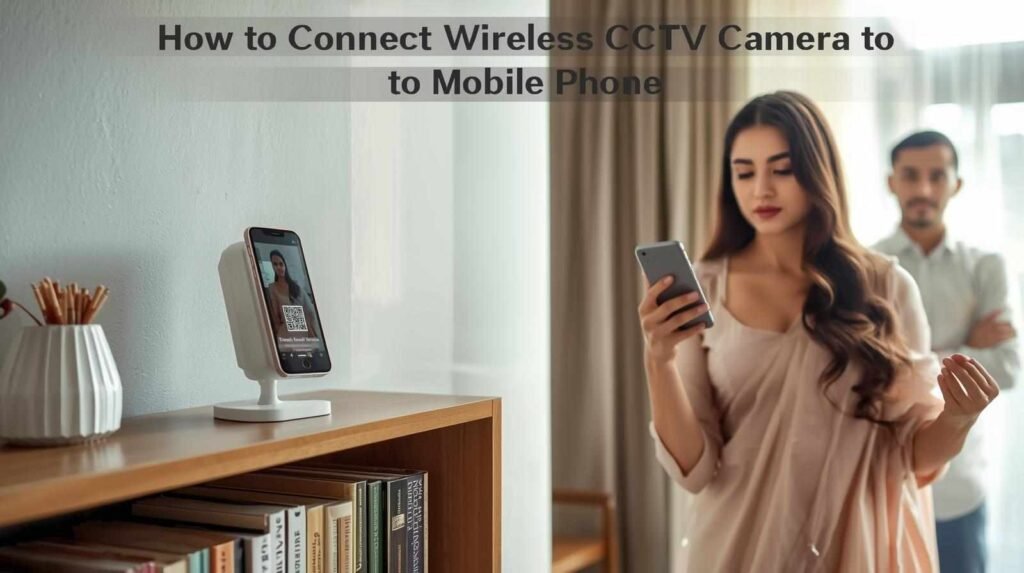
Step 5 – Connect CCTV Camera to Mobile Phone
Scan the QR code, join the Wi-Fi, and confirm the live feed. Shaktivault pre-sets for seamless pairing.
Step 6 – Customize Settings and Enable Remote Monitoring
Tune motion zones, alerts, and schedules. Enable cloud for anytime access.
Important Requirements Before Connecting CCTV Camera to Phone
Internet & Wi-Fi Requirements
2Mbps+ upload, WPA3 security. 100Mbps ideal for 4-8 cameras in Gurgaon (₹620-860 install/camera).
Mobile Phone Compatibility (Android & iOS)
Android 8+/iOS 12+, 4GB RAM. Works with CP Plus EZ-R33T wireless models.
CCTV Camera App & Firmware Updates
Monthly updates fix 70% of issues. They will auto-enable for Hikvision and CP Plus.
Does CCTV Need Wi-Fi to Connect to a Mobile Phone?
Connecting CCTV Camera Using Wi-Fi
Direct network join for app streaming standard for Shaktivault wireless kits.
Connecting CCTV Camera Using Ethernet Cable
PoE for stability, app via router internet (₹4500+ NVR).
Connecting CCTV Camera Without Internet or Wi-Fi
Hotspot local view (10m); SD record offline.
Which App Is Used to Connect CCTV Camera to Mobile Phone?
Manufacturer-Specific CCTV Mobile Apps
CP Plus: CP-E35Q app; Hikvision: Hik-Connect.
Popular CCTV Camera Apps for Android & iPhone
- TinyCam: Multi-brand support.
- iSpy DVR: Open-source.
- Tapo: TP-Link PTZ control.
How to Find the Right App for Your CCTV Camera
Manual/QR code; Shaktivault bundles with installs.
Common Problems While Connecting Wireless CCTV Camera to Phone
CCTV Camera Not Connecting to Wi-Fi
Restart, check band/interference.
Mobile App Not Detecting CCTV Camera
Reinstall, disable VPN.
Live Video Not Showing on Mobile Phone
Lower quality, update firmware.
Tips for Smooth and Secure CCTV Mobile Monitoring
Use Strong Passwords and Enable Two-Factor Authentication
12+ chars, 2FA on apps.
Keep CCTV App and Camera Firmware Updated
Patches boost speed 20-30%.
Improve Wi-Fi Signal for Better Video Streaming
Mesh for 100m+ in Manesar.
Final Thoughts – Monitor Your Property Anytime, Anywhere
Wireless CCTV cameras enhance security for homeowners in Faridabad and for businesses in Gurgaon. They can provide mobile alerts in a flash and 24/7 access to remote HD viewing. Shaktivault Technologies offers affordable installations starting at just Rs 20,000 for four camera kits. They provide seamless ways to connect a wireless security camera with mobile phones all across Delhi NCR. Stay protected any time with our expert assistance.
Why Wireless CCTV Cameras Are Ideal for Home & Business Security
Scalable, alert-ready for Faridabad shops/Noida factories. Shaktivault Technologies offers the best prices: 4 camera wireless kits from ₹20,000 incl. install (₹620-860/camera labor).