Discover how to connect CCTV camera to phone easily with this step-by-step guide. Live videos, motion alerts, and remote access via free Android or iPhone apps are great for Gurgaon homes. You can secure your home anytime and anywhere. Shaktivault Technologies offers quick setup with the most affordable prices!
Why Connect Your CCTV Camera to Your Phone?
In today’s busy world, smart homeowners and business owners want to connect their CCTV cameras to their smartphones. This is common in Gurgaon, Manesar, and Delhi NCR. Imagine watching live video from your office or enjoying coffee from a distance. No more blind spots in your home security. Shaktivault Technologies makes it easy by providing basic IP cameras and AI systems for CCTV Camera in Gurgaon. They are easy to connect directly to Android and iPhone.
You’ll receive instant alerts for motion and recordings of playback. You can manage everything with the free mobile app. This easy setup guide will help you through every step. You can monitor your property all day long without any technical issues. Are you ready to upgrade? Shaktivault offers the best price for CCTV kits. You can download the app for free when you place your order today. You can enjoy doorstep delivery within Gurgaon.
What You Need Before Connecting a CCTV Camera to Your Phone
Essential Requirements Checklist
Get these basics ready before learning how to connect a CCTV camera to your phone. It will save you time and frustration.
- CCTV camera: Choose from Shaktivault’s IP, AI, or wireless models for clear 4K video.
- Stable internet: Use Wi-Fi (2.4GHz is best) or broadband with at least 5Mbps upload speed.
- DVR/NVR: Shaktivault offers affordable bundles that are essential for wired multi-camera systems.
- Smartphone: Android 8.0 or iOS 12 and newer—most apps work on both.
- Official CCTV mobile app: Download from Google Play or the App Store. Shaktivault comes with compatible apps already installed.
- Camera login credentials: The default username and password are usually admin/admin. Change this right away to keep your account secure.
Shaktivault Technologies stocks everything you need. Call us +91 – 981 094 0561 for a custom kit at the best price in Delhi NCR. We will include a quick-start guide made for your setup.
Types of CCTV Cameras That Can Connect to Mobile
Know Your Camera Type First
Not all CCTV cameras connect the same way. Pick the right one to easily link your CCTV camera to your phone. Shaktivault specializes in these popular types:
- IP CCTV Cameras: These cameras connect directly through an app. You don’t need a DVR. They are great for homes with one camera.
- AI CCTV Cameras: They feature innovative features such as face recognition and auto-tracking. Shaktivault models send AI alerts to your phone immediately.
- Wireless CCTV Cameras: Battery or solar-powered, with no messy cables. This makes it perfect for rentals in Manesar.
- DVR/NVR-based HD Cameras: Wired analog systems are improved for mobile viewing. They are great for businesses with eight or more cameras.
Each Shaktivault camera comes with a dedicated app for hassle-free mobile linking. Our experts suggest AI models for offices in Gurgaon. Order now and receive free Wi-Fi optimization.
Step-by-Step Guide to Connect CCTV Camera to Mobile
Easy Setup for Beginners
Follow these easy steps from Shaktivault Technologies. You can learn how to connect a CCTV camera to your phone in under 10 minutes. No IT skills required!
Step 1: Power On the CCTV Camera
Plug in your Shaktivault camera and DVR/NVR. Connect to your router via Ethernet (wired) or keep it near Wi-Fi. The LED blinks green when ready.
Step 2: Download the CCTV Mobile App
Search for your model’s app (e.g., “Shaktivault View” or brand-specific like Hik-Connect). Install from the Play Store/App Store, it’s free and secure.
Step 3: Create or Log In to Your Account
Open the app, sign up with your phone number or email. Verify via OTP Shaktivault uses this for quick access to support.
Step 4: Add CCTV Camera to the App
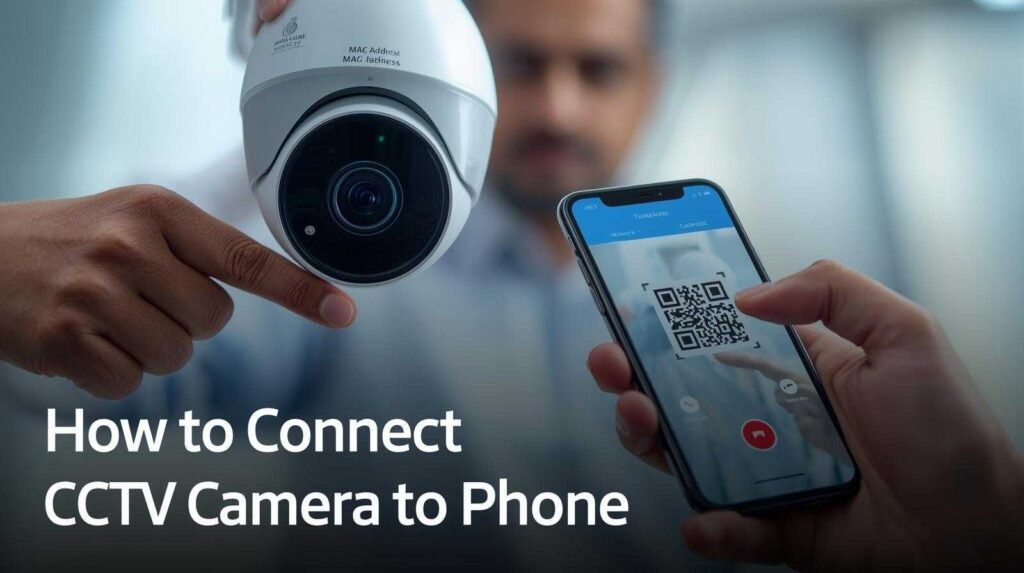
Tap “Add Device.” Scan the QR code on the camera (or box) or enter the 12-digit ID manually. Shaktivault prints IDs boldly for easy spotting.
Step 5: Connect Camera to Wi-Fi
Select your 2.4 GHz network, then enter the password. The app tests the signal—Shaktivault cameras automatically switch to the strongest band.
Step 6: View Live CCTV Footage on Phone
Hit “Live View.” HD streams load in seconds. Pinch to zoom, swipe to switch between cameras. Shaktivault adds one-tap recording saves.
Test it now. Shaktivault guarantees 100% success or free tech support in Gurgaon.
How to Connect Wireless CCTV Camera to Mobile Phone
No-Wire Setup Method
Wireless cameras shine for quick how to connect CCTV camera to phone installs, especially in Delhi NCR apartments. Shaktivault’s battery models last 6 months per charge.
- Power on the wireless camera, then press the reset button until it beeps.
- Download the app and log in.
- Turn on the camera hotspot. This will create the “Camera any” Wi-Fi network.
- Connect your phone to this hotspot. Then, go back to the home Wi-Fi in the app.
- Scan the QR code. The setup will finish in 2 minutes.
- Enjoy a live view from anywhere with an internet connection.
Perfect for Manesar homes. Order Shaktivault wireless kits at great prices. They come with wall mounts and weatherproofing.
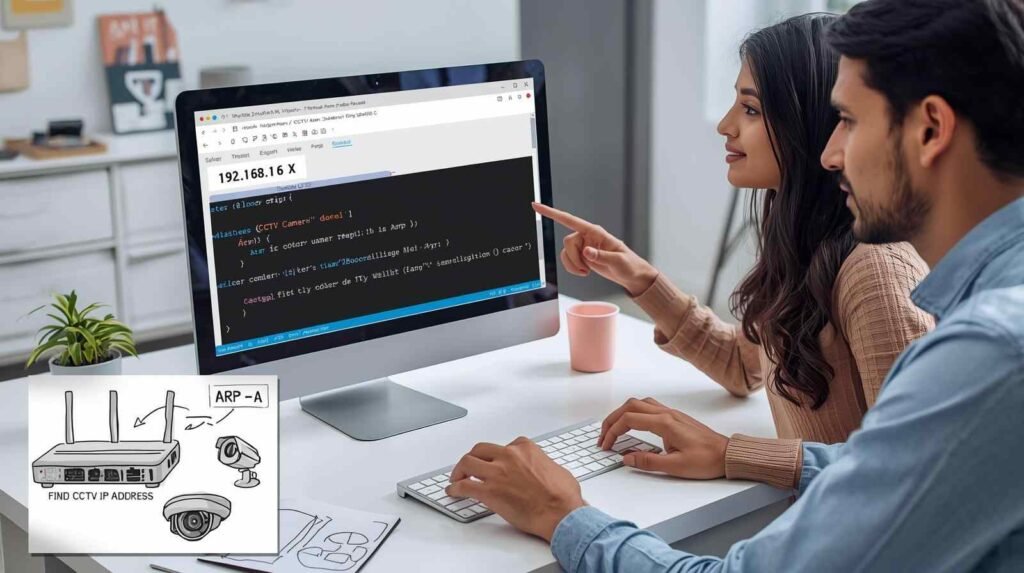
How to Connect CCTV to Your Smartphone Using DVR/NVR
Wired CCTV Mobile Viewing
For robust setups with multiple cameras, how to connect CCTV camera to phone via a DVR/NVR is reliable. Shaktivault installs these professionally.
- Connect the DVR/NVR to your router via LAN cable.
- In the DVR menu, enable P2P (Peer-to-Peer) or cloud service—Shaktivault DVRs auto-activate.
- Install the app (e.g., iVMS-4500 for Hikvision compatibility).
- Add the device using the serial number or QR code.
- Log in remotely—view all channels on one screen.
Shaktivault offers DVR bundles starting at the best Delhi NCR rates. One call, and we set it up at your site.
How To Connect Your CCTV Camera to Your Phone Remotely
Access CCTV from Anywhere
Remote access transforms how to connect CCTV camera to phone into true anytime surveillance. Post-setup:
- Watch live video on 4G or 5G.
- Replay recordings from the last 7 days with timestamps.
- Get push alerts for AI-detected motion, people, and vehicles.
- Control PTZ (pan-tilt-zoom) cameras by using swipe gestures.
Shaktivault cloud servers provide smooth HD remote viewing. A stable internet connection, whether at home or on mobile data, is important. Our apps smartly compress video to use less data.
How to Connect CCTV Camera to Phone Without Internet
Is It Possible?
Full remote how to connect CCTV camera to phone needs internet, but local options work offline:
- Connect to the same Wi-Fi network as the camera to view a live stream.
- Use your phone’s hotspot. Turn on the hotspot and connect the camera to it.
- Store the footage on an SD card. You can sync it with the app later.
No internet means no remote alerts. Shaktivault suggests using hybrid setups with mobile data backup and ordering cameras with SIM slots for complete coverage.
Common Issues and Troubleshooting Tips
Fix Connection Problems Easily
Even though connecting a CCTV camera to a phone is easy, the setup can still run into problems. Shaktivault tips can fix 90% of these issues right away:
- Camera Not Connecting to Wi-Fi: Check that you are using the 2.4 GHz band, not the 5 GHz band. Re-enter the password and restart the router. Try moving the camera closer.
- If the app isn’t streaming live video, follow these steps to close the application completely. Remove the cache. Start the camera. Also, verify the app’s permissions for the camera and microphone.
- If you have forgotten your camera password, you can reset it by pressing the reset button for 10 minutes. Then, connect the camera to the application. Tip: Use the app’s biometric login feature.
- No Internet Access: Check the router speed, change the LAN cables, and restart the modem.
Got ongoing problems? Shaktivault’s helpline is available 24/7. It solves issues in minutes at no extra cost with AMC.
Security Tips While Connecting CCTV Camera to Phone
Keep Your System Safe
Secure your how to connect CCTV camera to phone setup to avoid hacks—Shaktivault builds in protections.
- Change default passwords to strong ones (12+ characters, a mix of character types).
- Enable 2FA for app login.
- Use WPA3 Wi-Fi encryption; isolate CCTV on the guest network.
- Update firmware monthly via app—Shaktivault pushes auto-updates.
Our encrypted cloud keeps footage private. Choose Shaktivault for bank-level security in Gurgaon installs.
Benefits of Connecting CCTV Camera to Mobile
Smart Monitoring Advantages
Learning how to connect a camera to a phone unlocks the game with the Shaktivault technology:
- Real-time alerts reduce response time to a handful of seconds.
- You can monitor your health 24/7 from any location. Travel worry-free.
- Peace of mind for families living in Delhi NCR.
- Rapid incident reviews accelerate insurers’ claims.
Businesses can save on security guard costs, and homes can deter burglars. Shaktivault users report 40% fewer burglaries – these results have been proven.
When to Call a CCTV Professional
Expert Help Saves Time
DIY works for basics, but call Shaktivault if:
- Wiring or multi-camera complexity arises.
- Repeated app glitches persist.
- You want AI/PTZ integration.
Our Gurgaon techs finish in 2 hours and are thoroughly tested. Best prices, no hidden fees.
Why Choose Shaktivault for CCTV Setup & Support
Trusted Security Experts
Shaktivault Technologies is a leader in Delhi NCR. You can order online or call us for quick quotes.
- Expert installs: We can install from 1 to 32 cameras.
- Free setup and training for the mobile app.
- AMC offers unlimited support and annual checks.
- Fast troubleshooting: Same-day visits in Gurgaon, Manesar.
Best prices guaranteed—beat any quote. Local stock, quick delivery.
Conclusion: Monitor Your Property Anytime with Mobile CCTV Access
Unlock seamless security by following this ” How to connect CCTV camera to phone guide from Shaktivault Technologies. Simple steps deliver live views, alerts, and control anywhere in Gurgaon or beyond. DIY or pro install, we make it convenient.
📞 Call Now for Best Price & Installation – +91 – 981 094 0561
📍 Service Areas: Gurgaon, Manesar, Delhi NCR
FAQs on how to connect CCTV camera to phone
How do I connect my CCTV camera to my phone without a computer?
Take a picture of the QR code on your camera with an official app like Shaktivault View. Enter your Wi-Fi information, and you’ll be online in a matter of minutes. No PC is required. This works with IP or wireless networks. You can call Shaktivault to assist with the Gurgaon configuration.
Can I view CCTV footage on my phone remotely from anywhere?
Yes! Once connected via app and internet, access live feeds and recordings on 4G/5G. Shaktivault’s AI cameras send instant alerts. Best for Delhi NCR travel—order stable cloud kits today.
What if my CCTV camera won’t connect to the phone app?
Check Wi-Fi (2.4 GHz), restart devices, or reset the password. Update app/firmware. Shaktivault provides free troubleshooting in Manesar. Our AMC guarantees 99% uptime at the best prices.